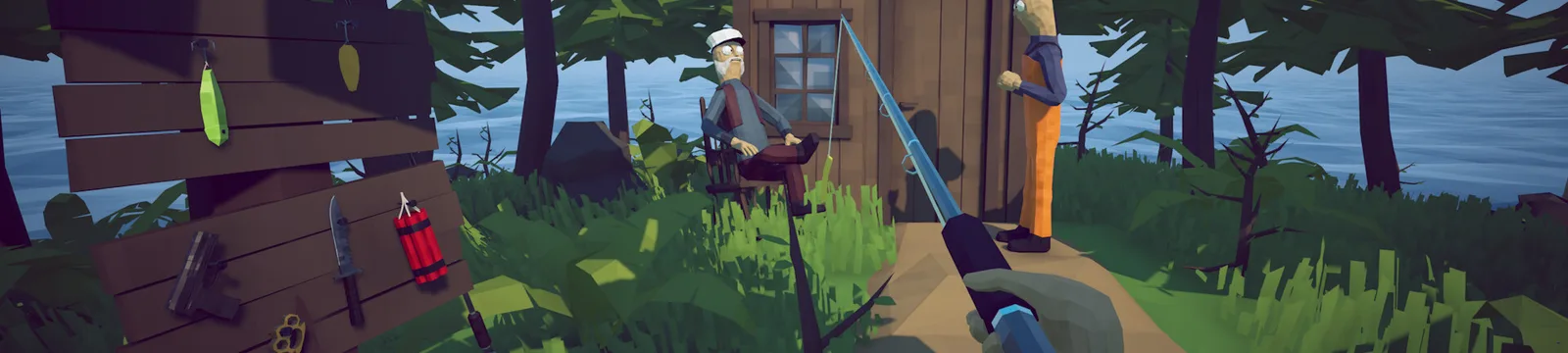

How to Fish Low FPS and Stuttering Fix
Use this How to Fish low FPS stuttering fix for frame drops, mouse-related slowdowns, and high GPU use.
FAQ
Why is the How to Fish FPS cap not working?
Can mouse movement cause stuttering in How to Fish?
What frame-rate cap should I use?
Why does How to Fish have low FPS or stuttering?
If you need a How to Fish low FPS stuttering fix, start by identifying whether the problem is an unapplied cap, high GPU load, or a mouse-triggered drop. As of Patch 1.0.10, reports point to these separate performance patterns. They are player reports rather than a single confirmed engine defect.
Patch 1.0.5 changed the lowest locked frame rate from 60 to 30. That gives lower-power systems a useful cap, but it does not guarantee that every menu change applies correctly on the first attempt.
| Pattern | Evidence | Confidence |
|---|---|---|
| Uncapped rendering drives high GPU use | Multiple common symptoms and player report | Strong practical likelihood |
| Selected FPS cap does not apply until changed again | One focused Steam report | Plausible, not official |
| Mouse movement causes extreme drops | One detailed Steam report | Hardware-specific and unconfirmed |
| Multiplayer join creates a hitch | Later item-loading patches | Possible, not a general FPS cause |
Which low FPS and stuttering fixes should you try first?
Apply this How to Fish low FPS stuttering fix one step at a time so you can identify what changes performance:
- Set the limit to 60 FPS. Apply it, switch to another value, then set 60 again if monitoring still shows an uncapped rate.
- Use fullscreen and restart the game. Patch 1.0.4 included a forced-fullscreen startup fix, and a clean restart confirms whether the display mode actually changed.
- Lower the most demanding preset by one step. Retest in the same location rather than changing every option at once.
- Disable Steam, Discord, recording, and GPU overlays for one test. If the stutter disappears, re-enable them individually.
- Update the graphics driver and verify game files. Prefer the GPU manufacturer’s stable driver rather than an unrelated driver-updater utility.
- Try a 30 FPS cap on Steam Deck or low-power hardware. Patch 1.0.5 supports it directly.
- If movement of the mouse alone triggers the drop, test another USB port and a basic wired mouse. One player reported that this helped, but it is not a confirmed game-wide fix.
Avoid editing graphics-driver profiles before the in-game cap is working. Also avoid leaving the game uncapped while testing; one report connects very high GPU use, alt-tabbing, a crash, and lost progress, although that sequence does not prove the uncapped rate caused every event.
How do you identify the actual bottleneck?
Test one controlled scene in solo play. Record FPS while standing still, turning with the mouse, and opening the inventory. Then repeat after setting the cap. If only mouse movement causes the collapse, treat it as an input or USB interaction and see the controller and input guide. If the game exits, use the crash guide.
Performance that changes only in multiplayer may be related to loading the host’s ground items. Patch 1.0.10 changed how up to 64 items are persisted and prioritized. Store loose objects and compare a fresh lobby using the multiplayer fixes.
Third-party testing reports good Steam Deck performance, so widespread low FPS on that device is not currently established. The Steam Deck troubleshooting page separates verified compatibility from individual issues.
What information should you report?
Include CPU, GPU, memory, display resolution, FPS limit, fullscreen state, solo or multiplayer, and whether the drop follows mouse movement. State whether changing the limit away and back altered the measured rate. Without those details, two visually similar stutters can be mistaken for the same bug.
Sources
- Official Steam announcements and patch notes — Patches 1.0.4 and 1.0.5 display and FPS changes. Accessed 2026-09-01.
- Steam discussion: FPS cap setting does not apply — player workaround of changing the value again. Accessed 2026-09-01.
- Steam discussion: Mouse movement causes frame drops — hardware-specific player report. Accessed 2026-09-01.
- Steam discussion: Uncapped GPU use, crash, and progress loss — combined symptom report. Accessed 2026-09-01.
- Steam reviews — independent player comments about performance on modest hardware. Accessed 2026-09-01.
Related Articles
guides
How to Beat the Albatross Boss — How to Fish Guide
This How to Fish Albatross boss guide explains the Tuna trigger, ranged rain attack, cover timing, safe damage windows, and weapon choices.
guides
How to Beat the Blue Shark Boss — How to Fish Guide
This How to Fish Blue Shark boss guide explains the Desert lure, spinning charge, safe movement, weapon choice, and grill quest hand-in.
guides
How to Beat the Bowhead Whale Boss — How to Fish Guide
This How to Fish Bowhead Whale boss guide covers the final quest, body slam, falling hazards, upgraded Assault Rifle, healing, and Handyman.
Was this helpful?
Thanks for the feedback!